
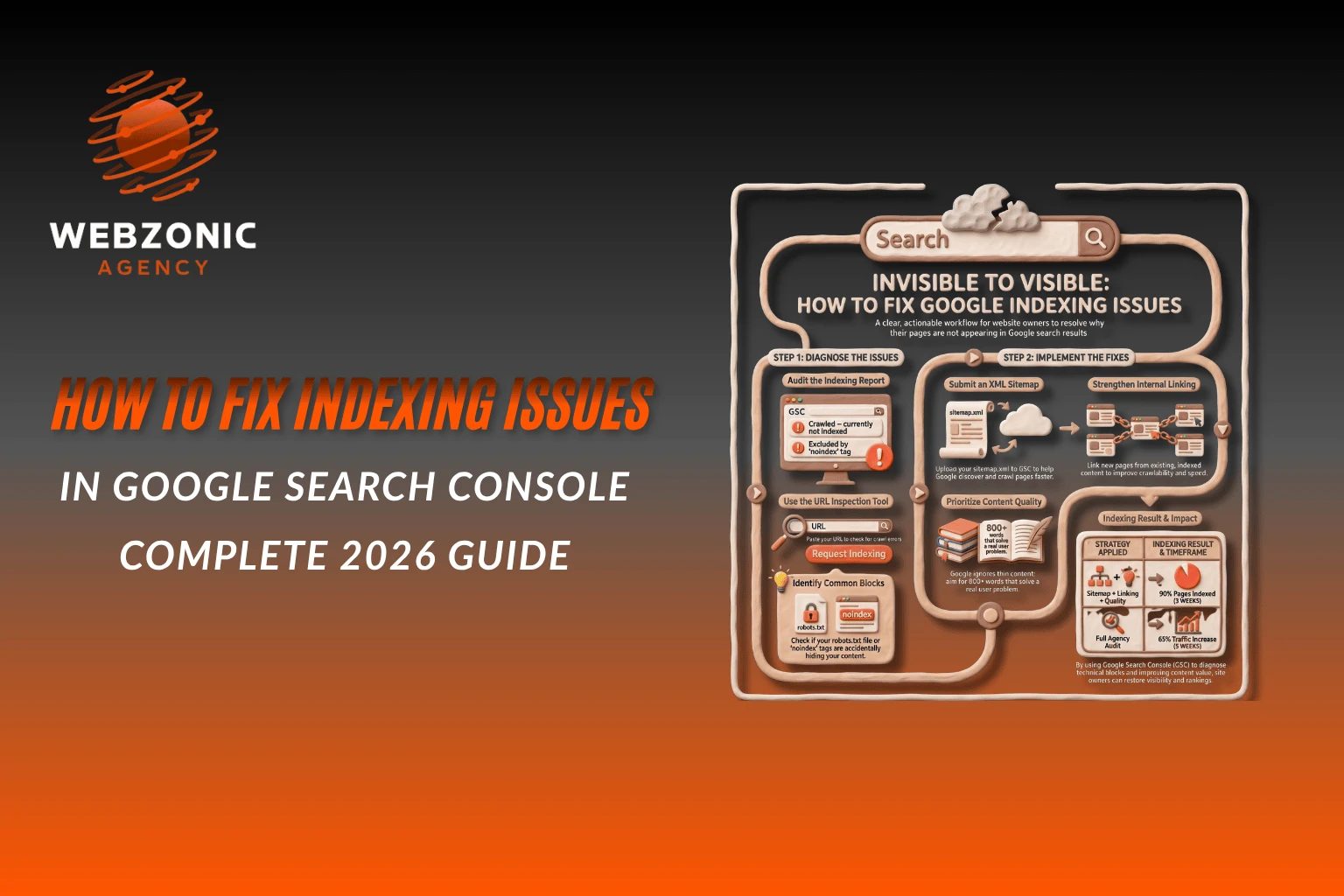
If your website isn’t showing up on Google, you don’t have a traffic problem — you have an indexing problem.
Many website owners publish great content but still struggle to get visibility. Why? Because Google hasn’t indexed their pages yet. This means your pages exist, but they are invisible in search results.
The good news: you can fix indexing issues — and often much faster than you think.
In this guide, you’ll learn exactly how to fix indexing issues, understand common errors in Google Search Console, and apply practical solutions that actually work.
What Are Indexing Issues?
Indexing is the process where Google stores your web pages in its database. If a page isn’t indexed, it won’t appear in search results — no matter how good your content is.
Common website indexing problems include:
- Pages not discovered by Google
- Crawled but not indexed pages
- Duplicate content issues
- Blocked pages (robots.txt or noindex tag)
- Slow-loading or low-quality pages
These are known as indexing errors in SEO, and they directly impact your rankings.
Why Google Indexing Issues Happen
Before fixing anything, it’s important to understand the cause.
Here are the most common reasons:
- Your website is new (Google hasn’t discovered it yet)
- Poor internal linking
- Thin or low-quality content
- Technical SEO issues
- Incorrect settings (noindex, robots.txt)
- Slow page speed
- Duplicate URLs
Fixing these is essential for a proper search engine indexing fix.
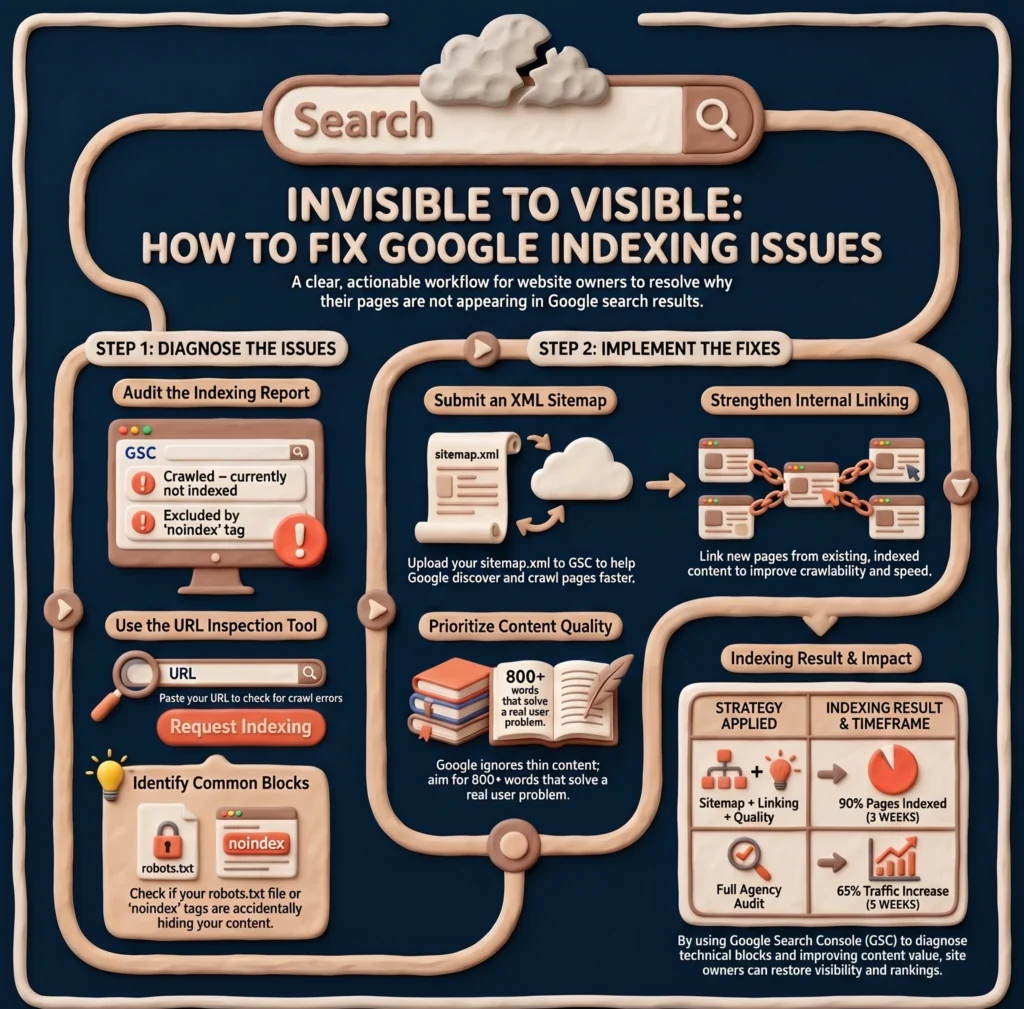
Step-by-Step Guide to Fix Indexing Issues
Here’s a practical checklist you can follow right now:
Step 1: Check Google Search Console
Go to Pages → Indexing report.
Look for:
- “Crawled – currently not indexed”
- “Discovered – currently not indexed”
- “Excluded by ‘noindex’ tag”
- “Duplicate without user-selected canonical”
👉 These are your main Google indexing issues.
Step 2: Use URL Inspection Tool
Paste your URL in the inspection bar.
Check:
- Is the page indexed?
- Any crawl errors?
- Last crawl date?
👉 If not indexed, click “Request Indexing”
Step 3: Improve Content Quality
Google won’t index low-value pages.
Make sure your content:
- Solves a real problem
- Is at least 800–1500 words
- Uses proper headings (H1, H2, H3)
- Includes keywords naturally
👉 Thin content is one of the biggest indexing problems.
Step 4: Fix Technical SEO Issues
Check for:
- Noindex tags in HTML
- Robots.txt blocking pages
- Broken links
- Redirect chains
Tools like Screaming Frog or Ahrefs can help.
Step 5: Submit XML Sitemap
Upload your sitemap in Google Search Console.
Example:
yoursite.com/sitemap.xml
This helps Google discover pages faster.
Step 6: Improve Internal Linking
Link your new pages with existing ones.
For example:
- Add blog links inside other blogs
- Use keyword-rich anchor text
👉 This improves crawlability and indexing speed.
Step 7: Increase Page Speed
Slow websites often face indexing delays.
Fix:
- Large images
- Unnecessary scripts
- Poor hosting
Step 8: Build Backlinks
Even 2–3 quality backlinks can trigger indexing.
Try:
- Guest posting
- Social sharing
- Directory submissions
Real-Life Example
One of our clients had 50+ blog posts but only 12 were indexed.
We applied:
- Internal linking
- Content optimization
- Sitemap submission
👉 Result: 90% pages indexed in just 3 weeks.
How to Fix Indexing Issues in WordPress
If you’re using WordPress, follow these steps:
Check Reading Settings
- Go to Settings → Reading
- Make sure “Discourage search engines” is unchecked
Use SEO Plugin
Install plugins like:
- Rank Math
- Yoast SEO
Check:
- Noindex settings
- Sitemap generation
Fix Permalink Structure
Use:
Post name structure
Remove Thin Content
Delete or improve low-quality pages.
Submit Sitemap Again
Common Mistakes to Avoid
Avoid these mistakes while fixing indexing issues:
- ❌ Publishing low-quality or AI-spam content
- ❌ Blocking important pages in robots.txt
- ❌ Ignoring internal linking
- ❌ Not submitting sitemap
- ❌ Expecting instant indexing
👉 Indexing takes time — but proper steps speed it up.
Testimonials
“WebZonic Agency helped us fix critical indexing issues that were blocking our growth. Within 5 weeks, our organic traffic increased by 65%, and we started getting qualified leads daily.” – Ali Raza, Founder at Karachi Digital Solutions
“We had over 100 pages, but most of them weren’t indexed. The team at WebZonic Agency identified the problems and fixed them quickly. Now our blog posts are ranking on page 1 for multiple keywords.” – Hira Khan, Content Head at SaaSify Pro
“Our eCommerce store was facing serious Google indexing issues, and products weren’t appearing in search results. After working with WebZonic Agency, 80% of our pages got indexed, and our sales improved significantly.” – Usman Sheikh, Owner at TrendCart Store
People Also Ask (PAA)
How to resolve indexing issues?
Start by checking Google Search Console for errors. Fix technical issues, improve content quality, and submit your sitemap. Internal linking also helps Google discover pages faster.
How to fix indexing not running?
If indexing is not happening, check for noindex tags, robots.txt blocking, and poor content quality. Use the URL Inspection tool and request indexing manually.
How to fix page indexing issues in WordPress?
Ensure your site is not blocked in settings, use an SEO plugin, submit your sitemap, and improve content quality. Also fix internal linking issues.
Why are my pages crawled but not indexed?
This usually happens when content is low quality or duplicate. Improve the content and make it more valuable for users.
How long does it take for Google to index a page?
It can take anywhere from a few hours to several weeks depending on your website authority and content quality.
Pro Tip: Learn SEO the Right Way
If you want to understand SEO deeply, check out this complete guide:
👉Complete SEO Guide for Beginners (2026) – Step-by-Step
It covers everything from basics to advanced strategies.
Why Choose WebZonic Agency?
At WebZonic Agency, we don’t just fix indexing issues — we build long-term SEO growth.
Our SEO Services include:
- Technical SEO audits
- Indexing and crawling optimization
- Keyword research
- On-page & off-page SEO
- Content strategy
Plus, you can also get a FREE website audit to identify hidden SEO issues and opportunities for growth.
We help your website rank, get traffic, and convert visitors into customers.
Conclusion
Fixing indexing issues is not complicated — but it requires the right approach.
Key Takeaways:
- Always monitor Google Search Console
- Fix technical and content-related issues
- Use internal linking and sitemaps
- Be patient but consistent
If your pages are not indexed, your SEO efforts are wasted. Take action today and start fixing your indexing problems.
👉 Need expert help? Contact WebZonic Agency and let professionals handle your SEO.
Author Bio
Written by Muhammad Taha, an SEO Specialist at WebZonic Agency, helping businesses grow their online presence through effective SEO and digital marketing strategies.
One Response
Amazing guide by Muhammad Taha.